
What Should a Pediatric Therapy Clinic Website Include?
A pediatric therapy clinic website should show parents the real therapists and the real space, explain each service in plain language, answer insurance and waitlist questions up front, and put one clear way to reach you on every page. It also has to load fast on a phone, because many parents read it there in short bursts between school pickup and bedtime.
This article covers:
- What parents look for in the first few seconds
- How to explain each service so a new parent understands it
- What to say about insurance, cost and the waitlist
- What belongs on a first-visit page
- How parents should be able to reach you
- The template mistakes that cost clinics inquiries
What do parents want to see first?
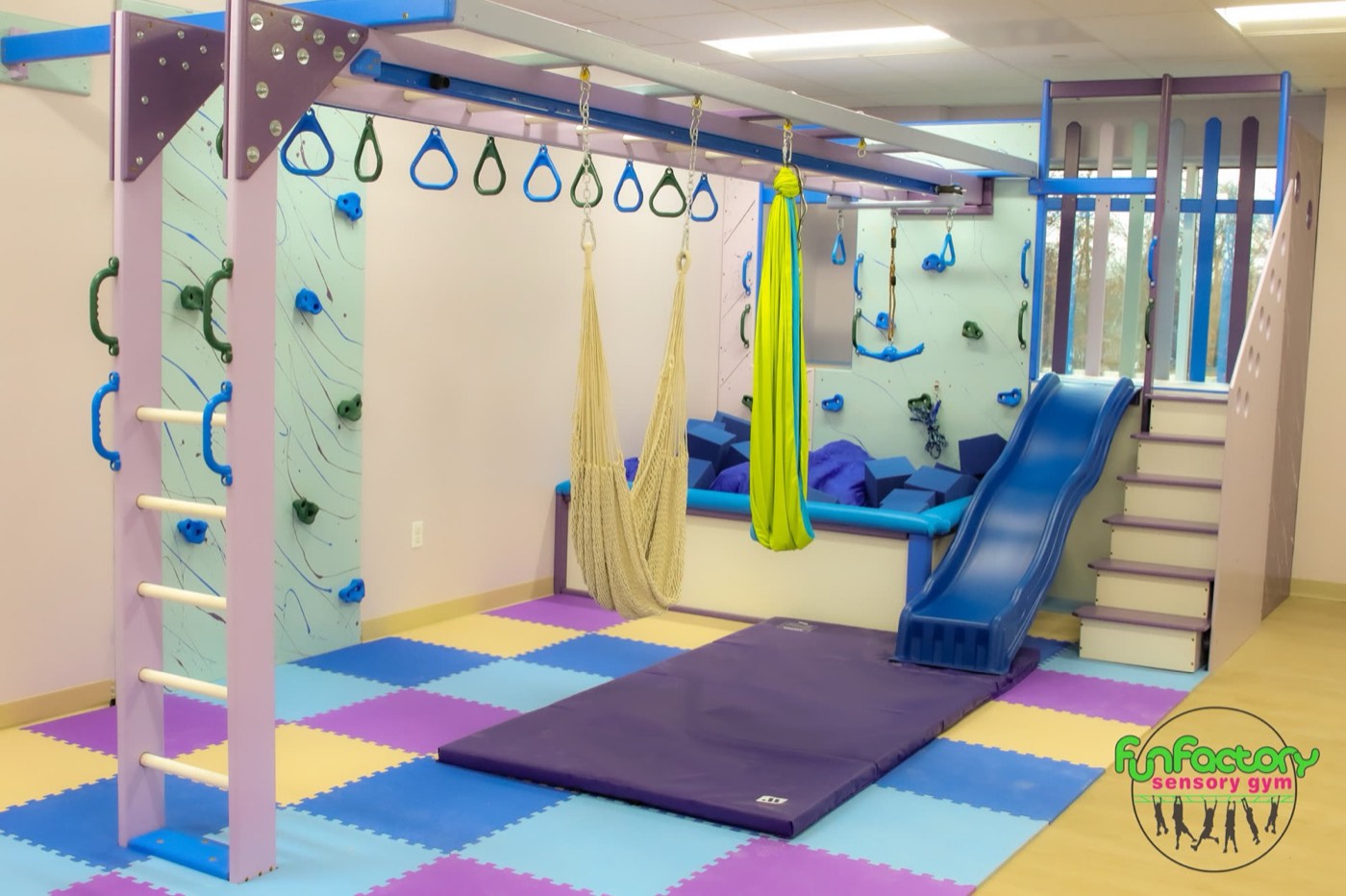
A parent on your site is deciding whether to hand their child to people they have never met. The fastest way to earn that trust is to show the people: real photos of your therapists, their credentials written out (OTR/L, CCC-SLP, BCBA, DPT) with a line on what each one means, and a few sentences from each therapist on why they work with kids. Then show the space. Photos of your actual gym, therapy rooms and waiting area tell a parent what their child will walk into, and they do more work than any stock photo of a smiling child because the parent can tell the difference.
The top of your homepage should also answer the basic fit questions without a click: which services you offer, the ages you see, where you are and which towns you serve. Driftlss has written about why parents judge your practice by your website and how to showcase your team online, and both are worth reading before a photo shoot.
How should I explain each service?
Give every service its own page, written for a parent who may have heard the term for the first time at a well visit last week. Occupational therapy, speech therapy, feeding therapy, physical therapy, ABA and social skills groups each deserve a page that starts with the signs parents notice at home, in their words: a toddler who is not talking much yet, a child who melts down at haircuts, a kid who avoids the playground. From there, explain what an evaluation involves and how long it takes, what a typical session looks like, who provides it and what happens next.
Define your clinical terms when you use them. Sensory integration, proprioceptive input and motor planning make sense to your team and mean little to a worried parent until someone explains them in a sentence. These pages also do double duty, because service pages written around the words families type are what search engines and AI assistants read when deciding which clinic matches a question, a topic we cover in how to get your clinic recommended by ChatGPT. Driftlss writes a plain-language page for each service on every pediatric website it designs.
What should the site say about insurance, cost and the waitlist?
Insurance is the question that decides whether many parents call at all, so give it a page of its own. List the plans you are in network with, say whether you accept Medicaid or state waiver programs, and explain whether a physician's order or prior authorization is needed before therapy can start, since many plans require one for pediatric OT, speech or PT. If you offer private pay, say so and explain how it works, including whether you provide documentation families can submit for out-of-network reimbursement.
Be honest about the waitlist. A short note on each service page that says whether you have openings now, roughly what to expect if you do not, and what happens while a family waits saves your front desk a lot of hard conversations. Parents who find a waitlist after filling out three forms feel misled, while parents who see it up front and still reach out are ready to wait. Driftlss has a useful piece on waitlist management that applies well beyond ABA.
What belongs on a first-visit page?
A first-visit page answers the questions that make parents nervous the night before the evaluation. Tell them what to bring, which paperwork to finish ahead of time and how long the evaluation lasts. Explain whether the parent stays in the room, how to prepare their child for something new and what happens afterward, from the written report to the plan of care and the first scheduled session. Add a photo of your entrance and clear parking directions, because a parent wrangling a toddler should not have to guess which door is yours.
A good first-visit page answers questions your front desk would otherwise field by phone, and it gives your team one link to send after every booking. Driftlss covers the details in its guide to a first-visit page for a pediatric therapy website.
How should parents reach the clinic from the website?
Pick one primary action, usually "Request an evaluation," and put it in the same place on every page, with a tap-to-call phone number beside it for parents who would rather talk. Keep the form short: the parent's name and contact details, the child's age, the service they are asking about, their insurance and the best time to call. Anything more can wait for the intake call, and every extra field is a reason for an interrupted parent to leave.
What happens after the form matters as much as the form itself, so make sure each submission lands somewhere with an owner and a callback deadline, as we cover in why parent inquiries don't turn into evaluations. Depending on your intake process, online booking for tours or consultations and a website chatbot for after-hours questions can help, and it is worth deciding what should happen when a parent calls after hours too. Forms that ask about a child's diagnosis collect health information, so review what any third-party tracking tool on those pages can see with whoever handles your privacy compliance.
What should a clinic website avoid?
Stock templates are the most common problem. A theme built for any small business gives a pediatric clinic the same layout, the same stock photos and the same vague copy as every other site in town, and parents comparing three clinics cannot tell yours apart. Page builders loaded with plugins, sliders and autoplay video also tend to be slow on phones, which hurts parents on cellular data and the page-experience measures Google describes in its Core Web Vitals guidance.
Watch for a few other leaks as well. Intake forms posted as PDFs are hard to fill out on a phone, staff pages that still list therapists who left last year undermine trust, and a homepage with five competing buttons leaves a parent unsure what to do. Clinical jargon with no explanation has the same effect. Your Google Business Profile should match the website exactly on name, address, phone and hours, which helps with showing up on Google Maps. The website is one part of a larger plan, which we lay out in how to grow a pediatric therapy clinic.
The short version
A pediatric therapy clinic website earns trust by showing real therapists and the real space, explaining each service in a parent's words, and answering insurance and waitlist questions before anyone has to call. Give parents a first-visit page and one clear way to reach you on every page, keep it fast on phones, and skip the stock template.
Frequently asked questions
Does each therapy service need its own page?
Yes. Parents search for a specific service or concern, and a dedicated page can answer it in their words, explain the evaluation and show who provides it. One combined services page cannot do that well for OT, speech and ABA at once, and it gives search engines less to match.
Should a pediatric clinic list its rates on the website?
List the insurance plans you accept and explain how private pay works. If you are comfortable publishing private pay rates, it saves parents a call, and if not, say clearly how a family can get a quote so cost never feels hidden.
Can I use a website builder template?
You can, but a template makes your clinic look like every other site in town and usually ships with stock photos and generic copy. If you start from one, replace every photo with your own team and space and rewrite every page for parents.
How often should a clinic website be updated?
Update it whenever staff, services, insurance plans or waitlist status change, since stale details cost trust fastest. Adding articles that answer parents' questions every month also keeps the site useful to families and to search engines.
Get a website built around your clinic
Driftlss builds pediatric therapy clinic websites from scratch around your own therapists and space, with no stock template, a plain-language page for each service, fast loading on phones and one clear way to reach you on every page. Driftlss, the team behind this site, works only with pediatric practices, including occupational therapy clinics, speech therapy practices and multidisciplinary pediatric clinics, and built the website for Fun Factory Sensory Gym. Talk to Driftlss about your clinic website.